
One API. Any Agent.
Infinite Possibilities.
Build, deploy, and orchestrate custom AI agents from a single dashboard. Connect them to your apps with one endpoint — swap models, scale instantly, and ship AI-powered features without writing a single line of AI code.
What is Sentientone AI?
Sentientone AI is an agent orchestration platform. You create specialized AI agents — each with its own instructions, model, and behavior — then call them from your web app, mobile app, or backend with one POST request.
You handle the business logic. We handle the AI.
Custom Agents
Specialized AI for each task
One API
Single endpoint for everything
Any Model
GPT-4o, Claude, and more
Enterprise Ready
Your keys, your data, your control
How It Works
Three simple steps to add AI to any application.
Create an Agent
Log into the Infonex dashboard and create an agent. Give it a name, write a system prompt, choose a model (GPT-4o, Claude, etc.), and set parameters like temperature and output format.
Get Your API Key
Grab your API key from the platform settings. This is how your application authenticates with Infonex — simple and secure.
Call One Endpoint
Send a POST request to /api/chat with the agent ID and the user's message. Infonex handles conversation history, prompt injection, LLM routing — and returns the AI response.
POST /api/chat

{
  "agent_id": "your-agent-id",
  "message": "What's the status of order ORD-1234?"
}

// Response
{
  "response": "Order ORD-1234 shipped on March 2nd
    via FedEx. Tracking number: 7891234567.
    Expected delivery: March 5th.",
  "agent": "order-agent",
  "model": "gpt-4o",
  "tokens_used": 142
}
That's it. One endpoint. Any language. Any platform.
What You Can Build
From customer-facing chatbots to internal automation — the platform adapts to your use case.
Connect AI to Your APIs (MCP)
Expose your REST or gRPC APIs through MCP (Model Context Protocol) and configure agents to use those tools. The AI becomes an intelligent layer on top of your data.
Order Management
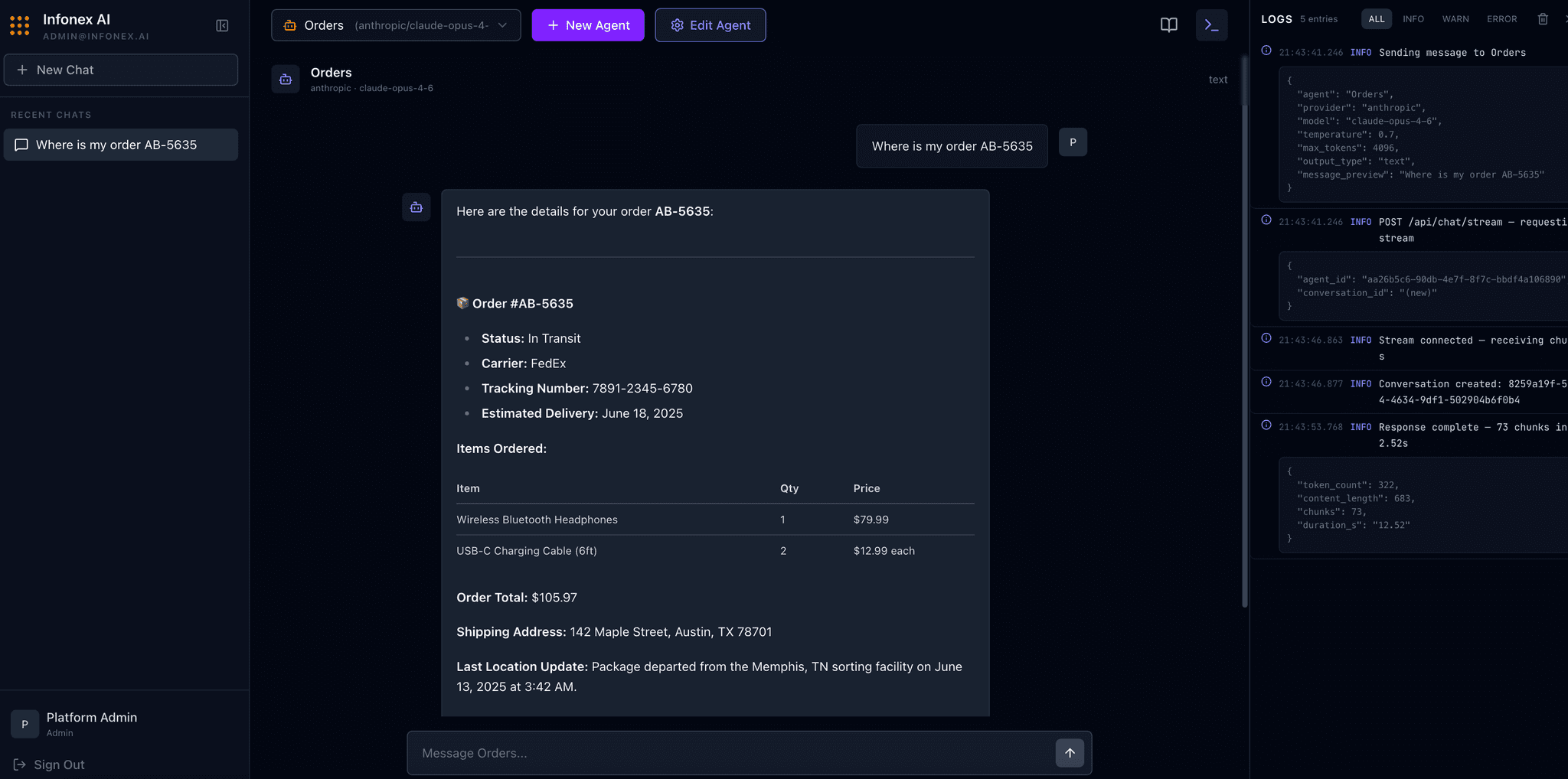
Create an agent that looks up orders, tracks deliveries, and answers customer questions — all by querying your MCP server behind the scenes.
Product Search & Recommendations
Build a product agent that searches your catalog, returns pricing and specs, and suggests related items. Powered by your own data, not generic AI.
Customer Support Automation
Set up a support agent with knowledge of your help docs, ticket system, and policies. Handle common queries automatically, freeing your team for complex issues.
Internal Tools & Workflows
Let your teams query databases, generate reports, or summarize documents by chatting with a purpose-built agent. No dashboards needed — just ask.
Multi-Language, Multi-Platform
Call the API from React, Flutter, Python, .NET, Go — anything that can make an HTTP request. Build AI into any part of your stack.
Real-Time Streaming
For chat interfaces, use the streaming endpoint to display responses token by token as they generate — just like ChatGPT.
Multi-Turn Conversations
Agents remember context within a conversation. Ask a follow-up and the agent knows what you were talking about — no need to repeat yourself.
Why Sentientone AI?
We handle the complexity so you can focus on building great products.
No AI Code in Your App
Your application just sends a message and gets a response. No OpenAI SDK, no prompt engineering, no token counting in your codebase.
One Agent Per Task
Create focused agents — one for orders, one for products, one for support. Each is tuned for its specific domain for accurate, consistent responses.
Switch Models Without Changing Code
Today you use GPT-4o, tomorrow you switch to Claude. Change it in the dashboard — your application code stays the same.
Your Keys, Your Data
Each agent uses its own LLM API key. You control costs per department, per use case. Your data flows through your infrastructure.
Configure Once, Call From Anywhere
Set up an agent once in the dashboard. Call it from your web app, mobile app, Slack bot, or internal tool — all using the same agent ID.
OpenTelemetry
Every agent call emits OTLP traces and metrics. Ship them straight to Datadog, Grafana, New Relic, or any OTel-compatible backend.
See It In Action
How an e-commerce company uses three agents — all called from the same /api/chat endpoint.
Order Agent
Connected to order management MCP tools. Customers ask "Where's my order?" and get real-time tracking info.
Product Agent
Connected to product catalog MCP tools. Users search products, get specs, and see recommendations.
Support Agent
Connected to help desk MCP tools. Handles FAQs, returns policies, and ticket lookups.
All three agents are called from the same e-commerce app using the same endpoint — just with different agent IDs.
Ship AI-Powered Features Today
Contact us today to set up a free consultation session and discover how Sentientone AI can transform your applications.